Keeping score of Banakil Baraziliyeh
Melds, projects and the pile. The round sheet collects each piece separately so the arithmetic is never yours to do.
Banakil Baraziliyeh has more moving parts per round than anything else ScoresDeck scores: projects at two different values, meld points, the cards still in hand coming off the total, a bonus for closing, a penalty for a side that never took the pile, and a 200-point penalty for any side that ends the round without a 200 project. Counting that by hand, every round, across the six hundred points or more it takes to reach a target, is the exact job this app exists to do.
This guide walks through scoring a match in the ScoresDeck app. For what a clean project is worth against a dirty one, or what a round without one costs, read the rules of Banakil Baraziliyeh — that page covers the game, this one covers the screens.
The solo game is exactly two players, head to head. The Partners version is two teams of two. Both are set up and scored the same way.
Before you start
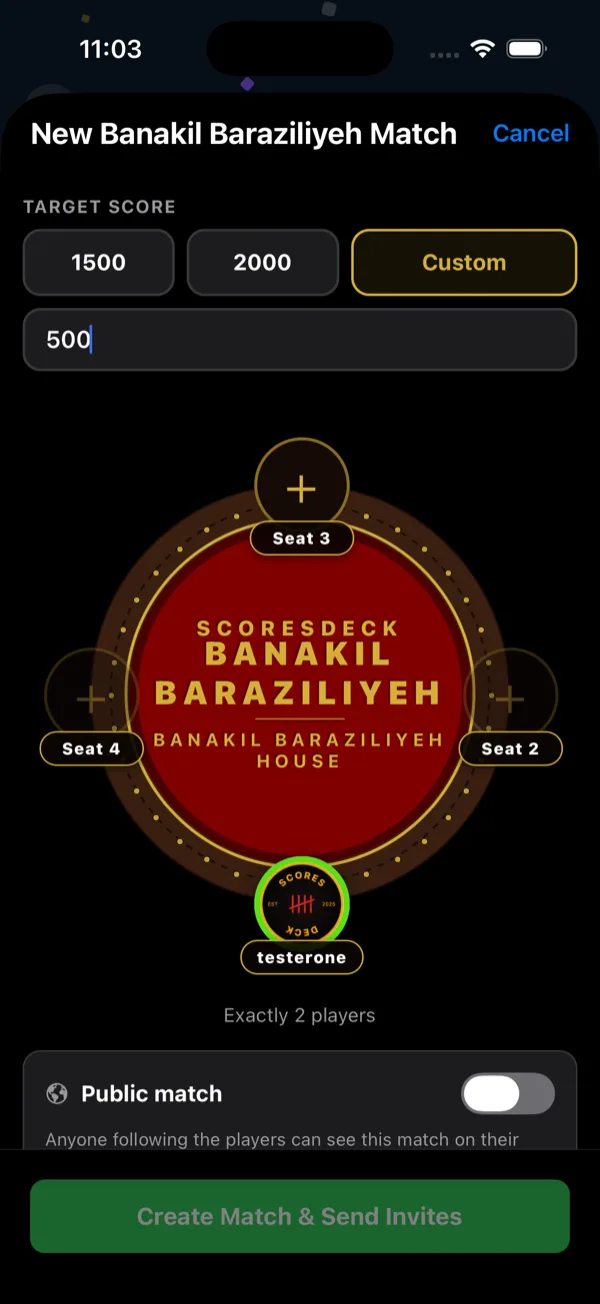
Set the target before you start. 1500 and 2000 are the standard picks, and a custom target has to be at least 500 points — a match shorter than that never runs long enough for the projects to matter, which is most of the game.
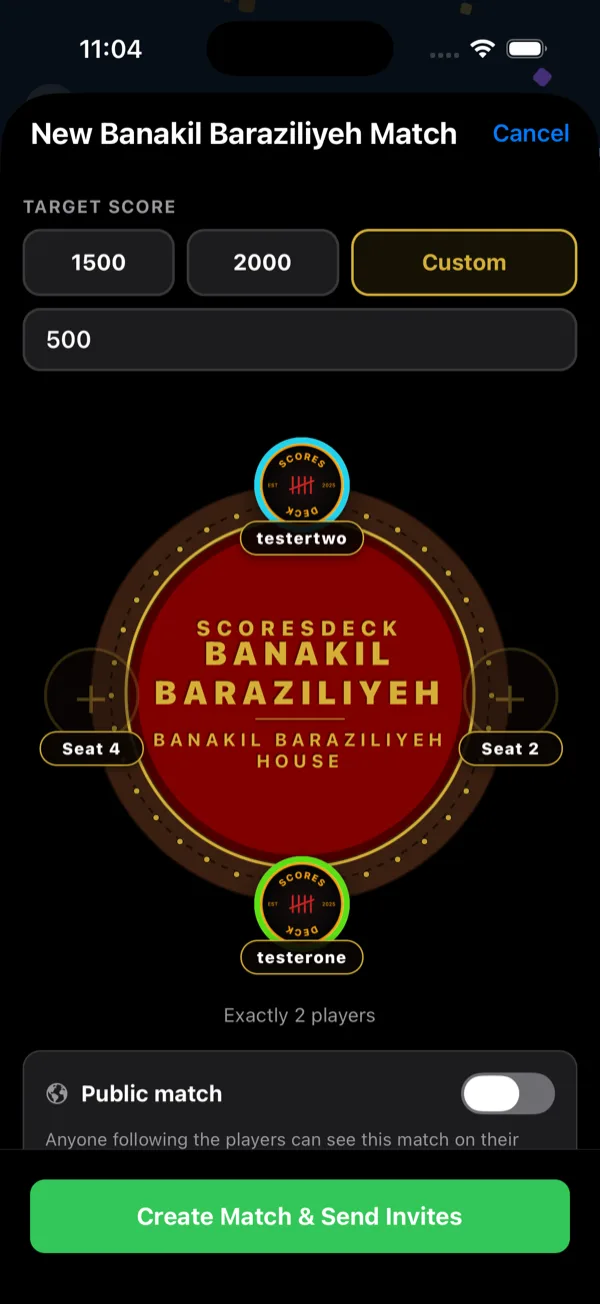
Seat your opponent, or your three, from your mutual followers using the + on each empty seat.
Agree the closing bonus in advance. The app marks WHO CLOSED? as optional because not every table plays it, so a table that does play it needs to mark it every round rather than most rounds.
Choose public or private at creation. A private match is hidden from public feeds and profiles, can still be watched live by everyone playing and anyone with the share link, and counts toward every stat.
Step by step
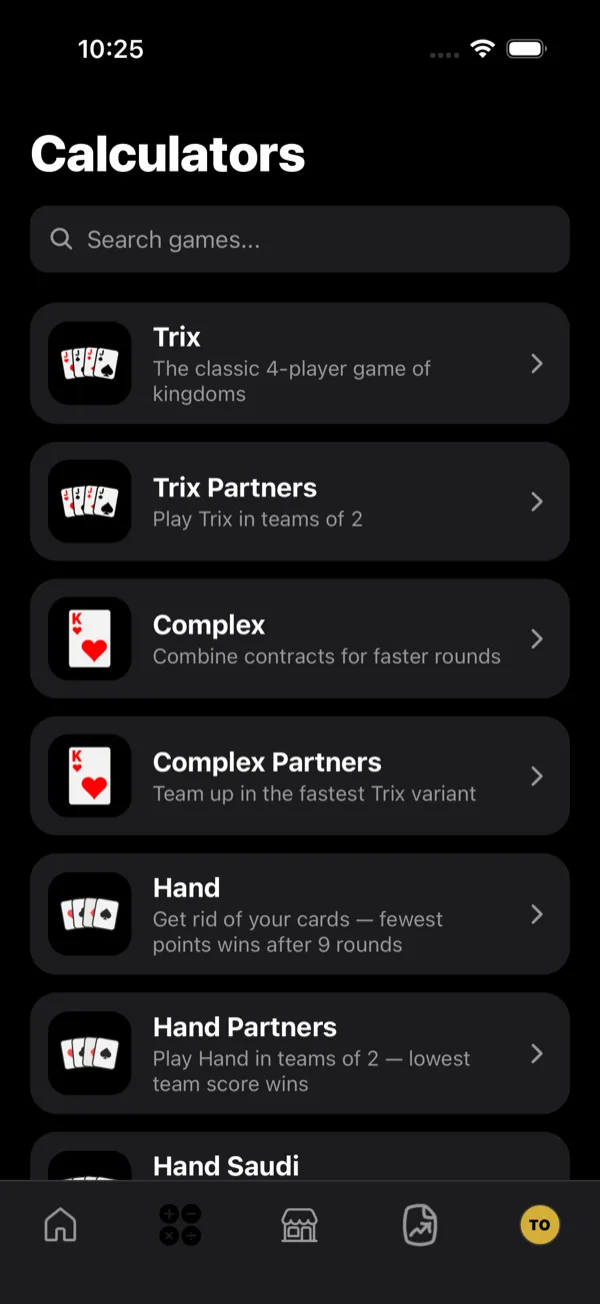
- 1Open the Banakil calculator
Choose Banakil Baraziliyeh from the Calculators tab, or the Partners version for two teams of two.
- 2Set the table and target
Banakil Baraziliyeh is exactly two players (the Partners version is two teams of two). Set the target score here — the match runs until someone reaches it, so this is what decides how long you are playing for. A custom target has to be at least 500 points, which keeps a match long enough for the projects to matter.
- 3Seat the players
Fill the seats from your mutual followers using the + control on each empty seat.
- 4Create the match
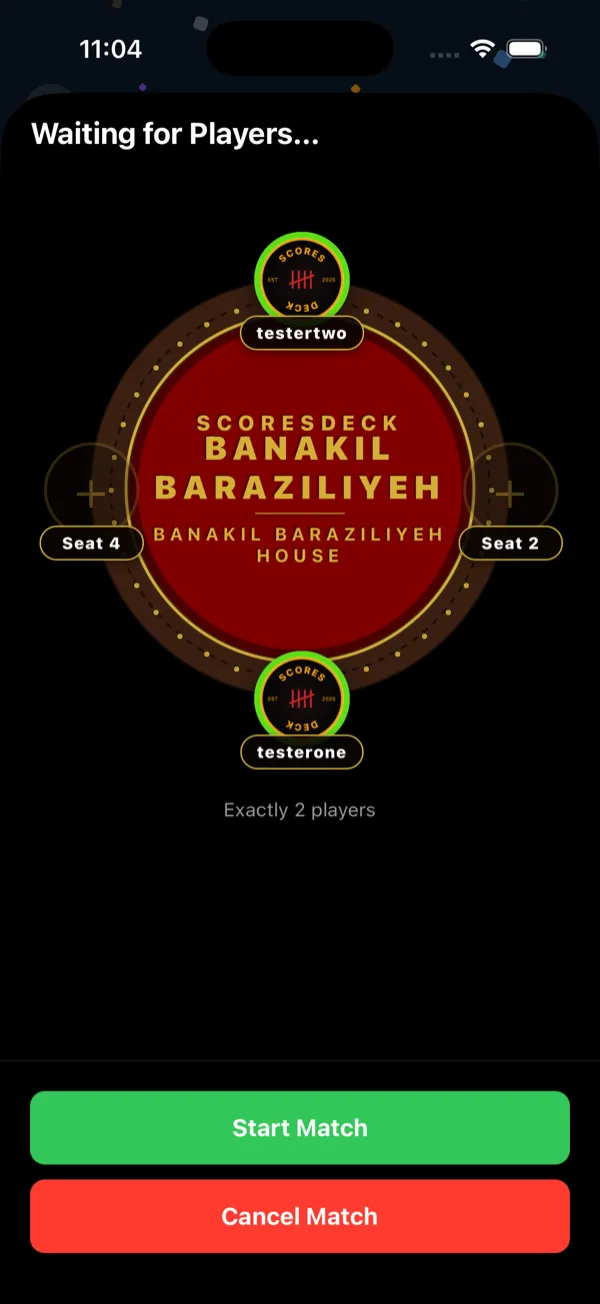
Invites go out on creation, seat rings show who has accepted, and you can start when the table is ready.
- 5Enter the round
The round sheet takes each part of the score on its own: 100 and 200 projects, meld points, and the cards still in hand — which are subtracted. The hint under each field shows what it is worth. Mark whoever took the pile, and whoever closed picks up the 100-point bonus. Failing to take the pile costs 100.
- 6What a round without a 200 project costs
Until a player has a 200 project entered — a team, in Partners — their card says so before you confirm: no 200 project, -200, and they cannot close. They are greyed out of WHO CLOSED? too. Their melds, cards in hand and any 100 projects still count, so fill those in as usual. Enter a 200 project and the notice clears; a 100 project scores but does not clear it.
- 7Follow the running score
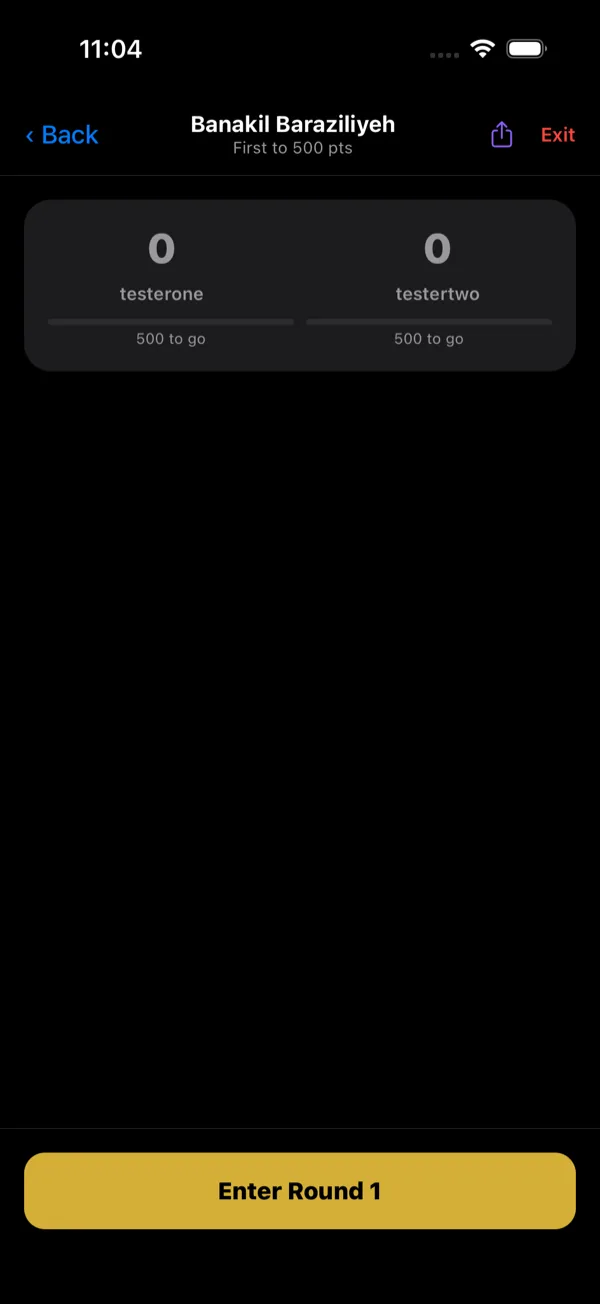
Totals update after each round and the board shows how much is left to reach the target.
- 8Finish the match
First to the target takes the match. ScoresDeck records it for everyone who played and posts it to their followers.

- 9Leaving a match early
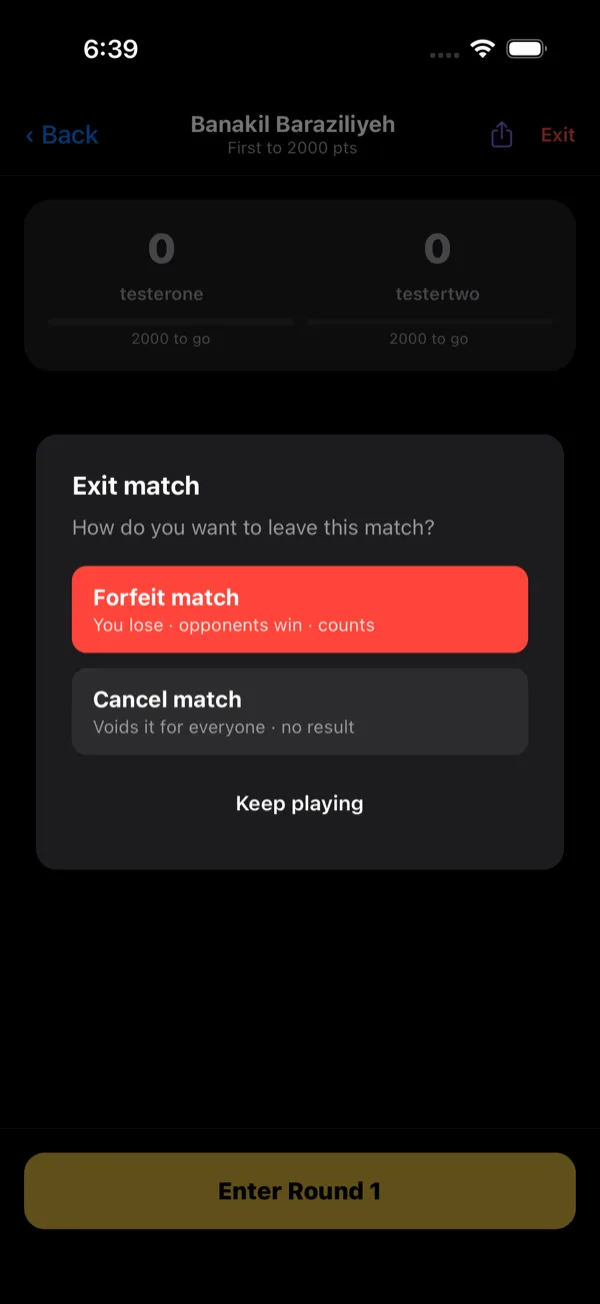
Exit offers two very different things. Forfeit records the match - you lose, your opponent wins, and it counts toward both stat lines. Cancel voids it for everyone with no result recorded. Neither can be undone.
What ScoresDeck works out for you
The round sheet takes each piece on its own rather than asking anyone for a total: 100 Projects, 200 Projects, Meld Points and Cards in Hand, the last of these labelled “subtracted from score”, so nobody enters it as a negative and takes it off twice.
The pile and the close are toggles, not arithmetic. Mark who took the pile and who closed, and the app applies the −100 to a side that did not take one and the +100 closing bonus to the side that did close.
The no-project penalty is handled for you. Any side without a 200 project takes −200 and cannot be picked as the closer, while its 100 projects, melds and cards in hand still count. In Partners it lands once per team, not once per player — the kind of detail that is easy to get wrong on paper.
The target is tracked as you go: the board shows how much each side still has to go, and the first to reach it takes the match. Highest score wins here, which is the opposite of Hand — worth saying out loud if your table plays both.
Worth knowing
- Cards left in hand are subtracted, so enter them even when the round went badly — leaving them out inflates the score.
- The closing bonus is optional in the sheet because not every table plays it. Agree it before you start.
Frequently asked questions
The solo game is exactly two players, head to head. The Partners version is four players in two teams of two.
1500 or 2000 are the standard picks. A custom target is allowed but has to be at least 500 points, which keeps a match long enough for the projects to be worth building.
No. Enter the value as a positive figure in Cards in Hand — the field is marked “subtracted from score” and the app takes it off the total for you. Enter it even when the round went badly; leaving it out inflates the score.
That player — or that team, in Partners — takes a 200-point penalty and cannot close. Their 100 projects, melds and cards in hand still count, and nobody else is affected. The app applies it for you.
No. WHO CLOSED? is marked optional in the round sheet because not every table plays the +100 bonus. Agree it before the match, then mark it consistently.
Yes. A confirmed round can be reopened and re-entered, and the app recomputes both sides' totals — projects, melds, hand points and the pile and closing adjustments alike.
Stop keeping score on paper
ScoresDeck handles every point of Banakil Baraziliyeh for you — running totals, the live leader, and the winner the moment the match ends.
Get ScoresDeck