Keeping score of Hand
Lowest score wins. Enter who won each round and what everyone was caught with, and ScoresDeck runs the totals to the end.
Hand is the game people most often give up scoring by hand, and the irony is not lost on anyone. Nine rounds, a negative score for going out, positive points for whatever everyone else was caught holding, a 100-point penalty for anyone who never laid down, and a declared Hand that doubles all of it at once. Every one of those is easy on its own and the combination is where paper scoresheets go wrong.
This guide walks through scoring a full Hand match in the ScoresDeck app. It assumes you already play Hand — if you are unsure what a declaration is worth or what happens to a player who never opened, read the rules of Hand first, because this page is about which control to tap rather than what the cards cost.
Hand Partners is set up the same way with two teams of two. Hand Saudi has its own guide, though the round sheet there is identical — what changes is the opening threshold, which is a rule about play rather than about scoring.
Before you start
Hand seats two to four players. Seats you leave empty are simply not used, so there is nothing to disable or skip.
Everyone you seat needs an account and a mutual follow — the picker only lists people who follow you back.
Decide the mode before you create the match. With three or four players the host can turn on “only last place loses”: the lowest total wins, the highest total takes the loss, and everyone in between is recorded as neutral — the match counts as played but does not move their win rate. With two players the toggle is hidden, because with two seats it would have nothing to describe.
Remember which way Hand runs. Lowest total wins, so the leader sits at the top of the standings with the smallest number. It is the opposite of Trix and it takes about one round to get used to.
Step by step
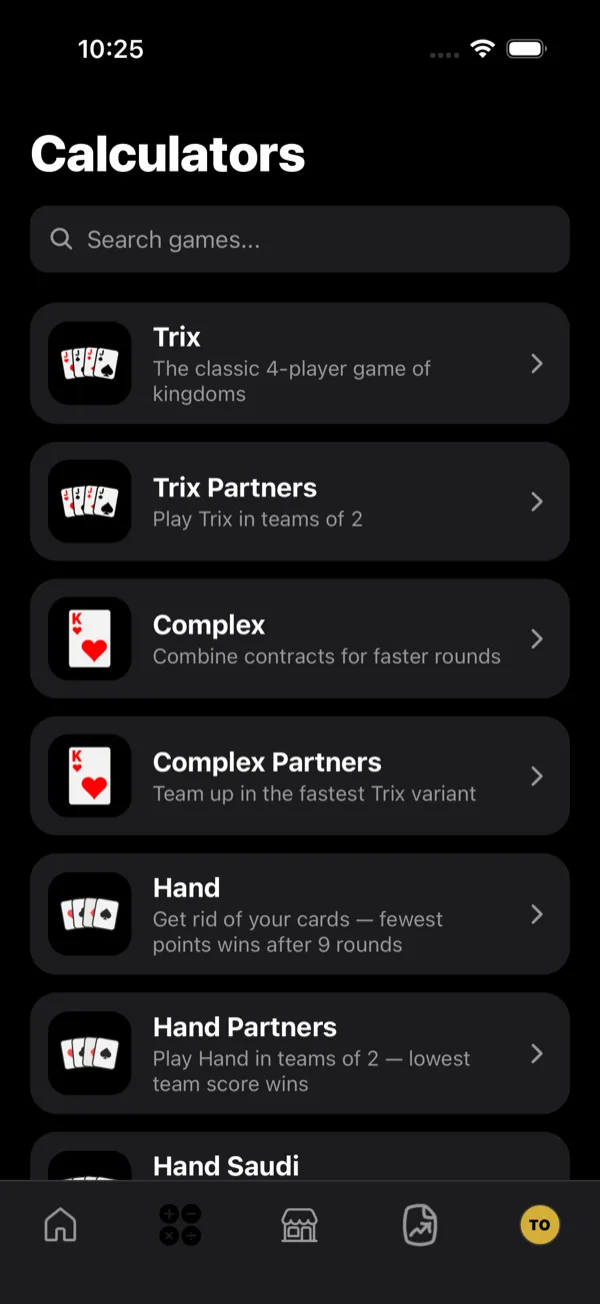
- 1Open the Hand calculator
Go to the Calculators tab and choose Hand. Hand Partners plays the same way with two teams of two.
- 2Set the table
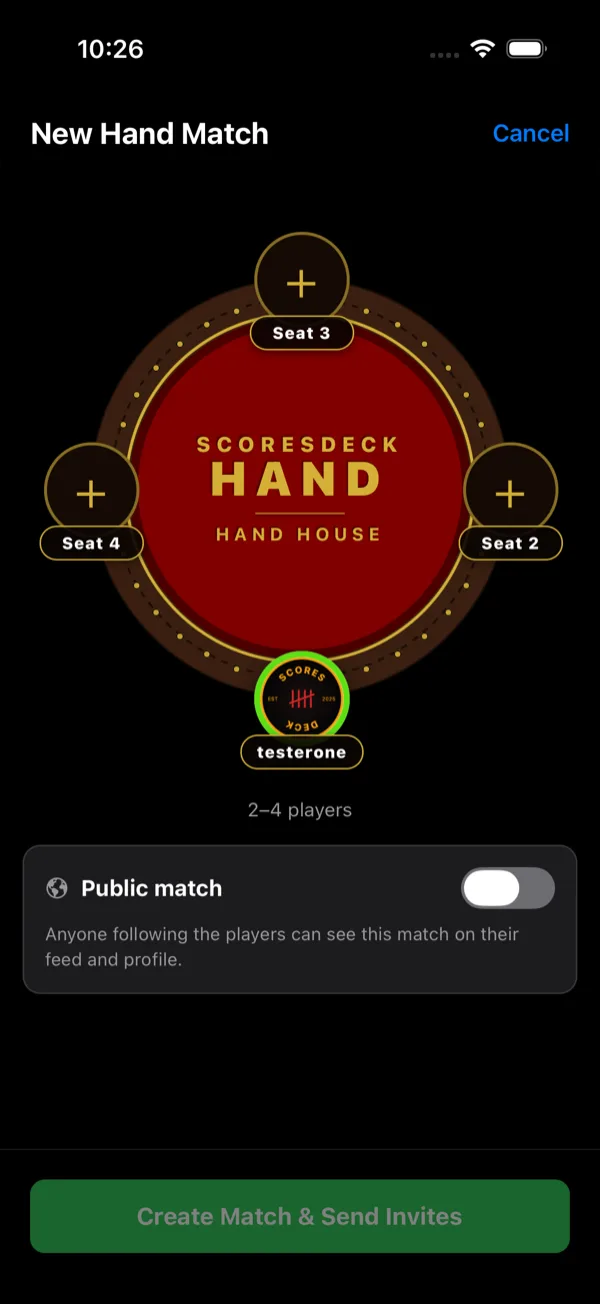
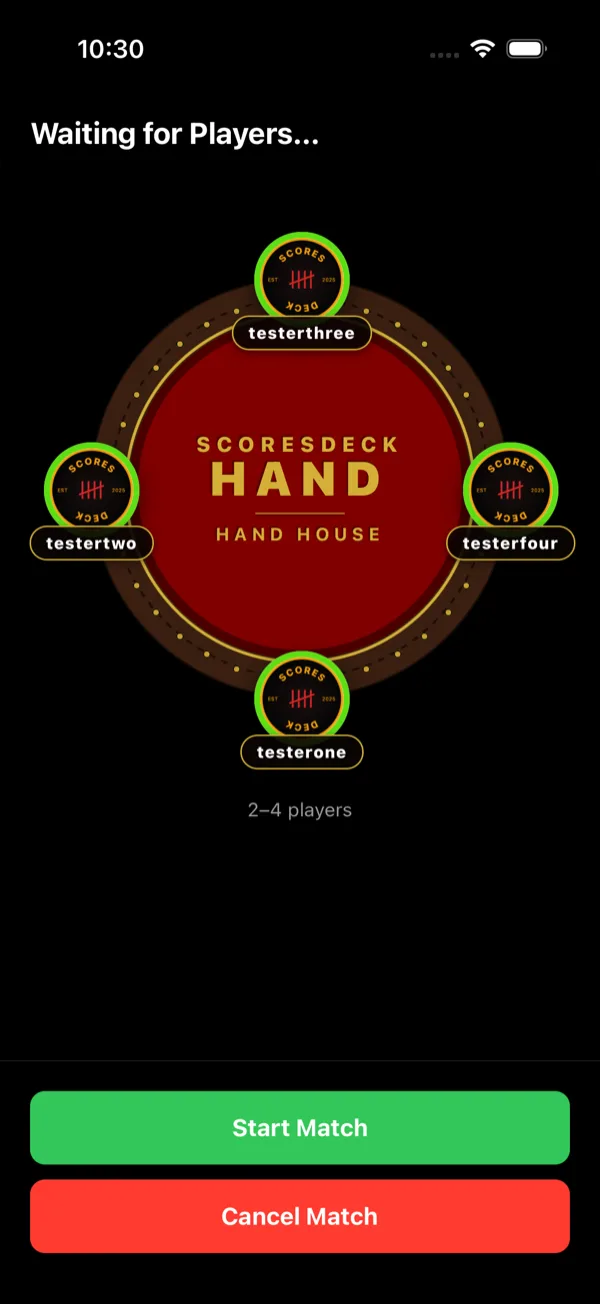
The setup screen is the Hand House. Hand takes two to four players, so seats you leave empty are simply not used. With three or four players the host can also turn on "only last place loses" — in that mode the winner wins, the last player takes the loss, and anyone in between is recorded as neutral: the match still counts as played, but it does not move their win rate.
- 3Seat the players
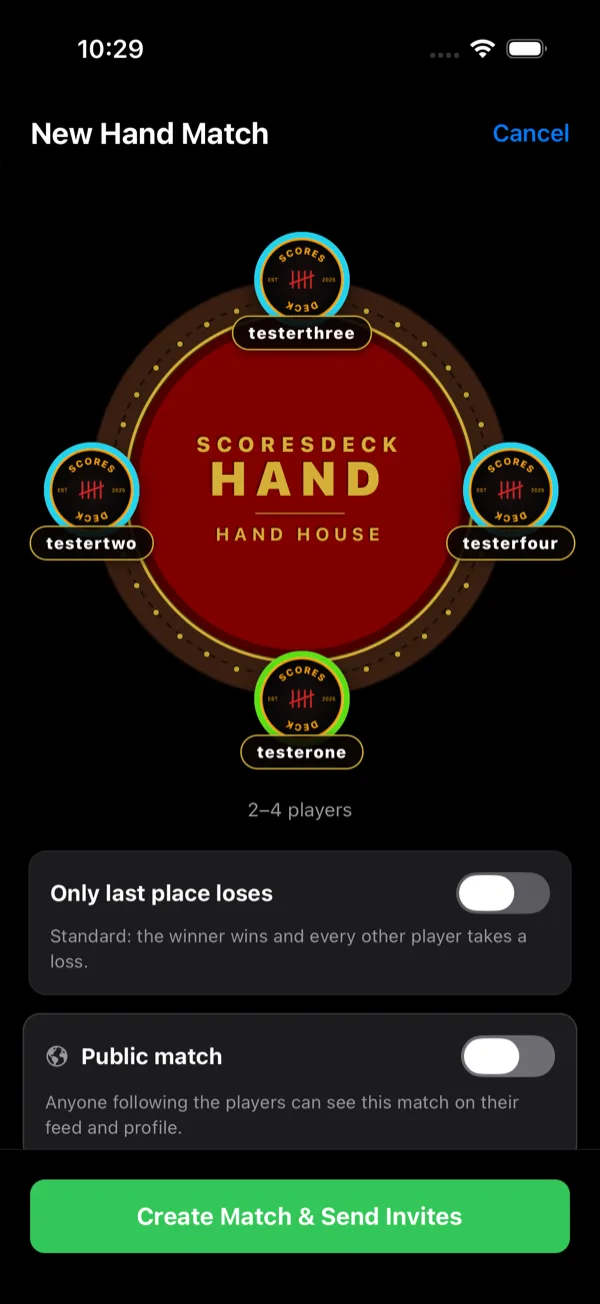
Tap the + on an empty seat and search for the player you want. The picker only offers people who follow you back. You keep seat 1 as the host.
- 4Choose how the loss is counted
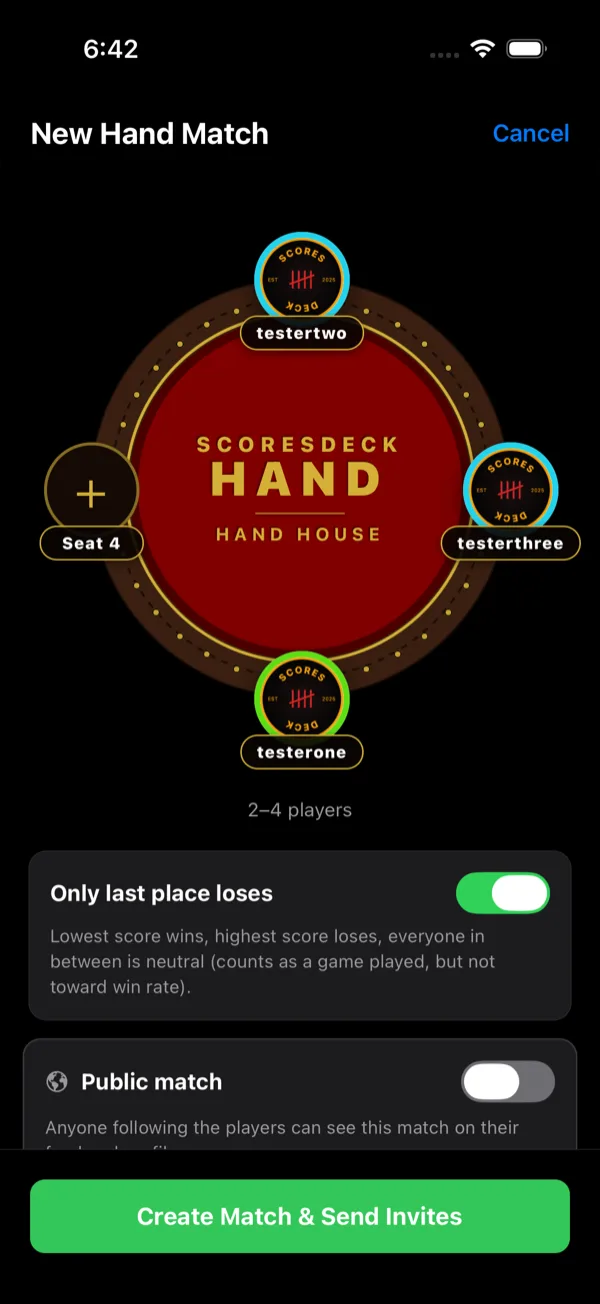
Once a third player is seated, an “Only last place loses” switch appears; with two seats it stays hidden, because it would have nothing to describe. Left off, the winner wins and every other player takes a loss. Switched on, the lowest total wins, the highest total takes the loss, and everyone in between is recorded as neutral - the match counts as a game played but does not move their win rate. The choice is fixed once you create the match.
- 5Create the match
Creating the match sends the invites. A seat ring shows cyan while that player's invite is pending and turns green once they accept — but you do not have to wait for everyone before starting.
- 6Enter each round
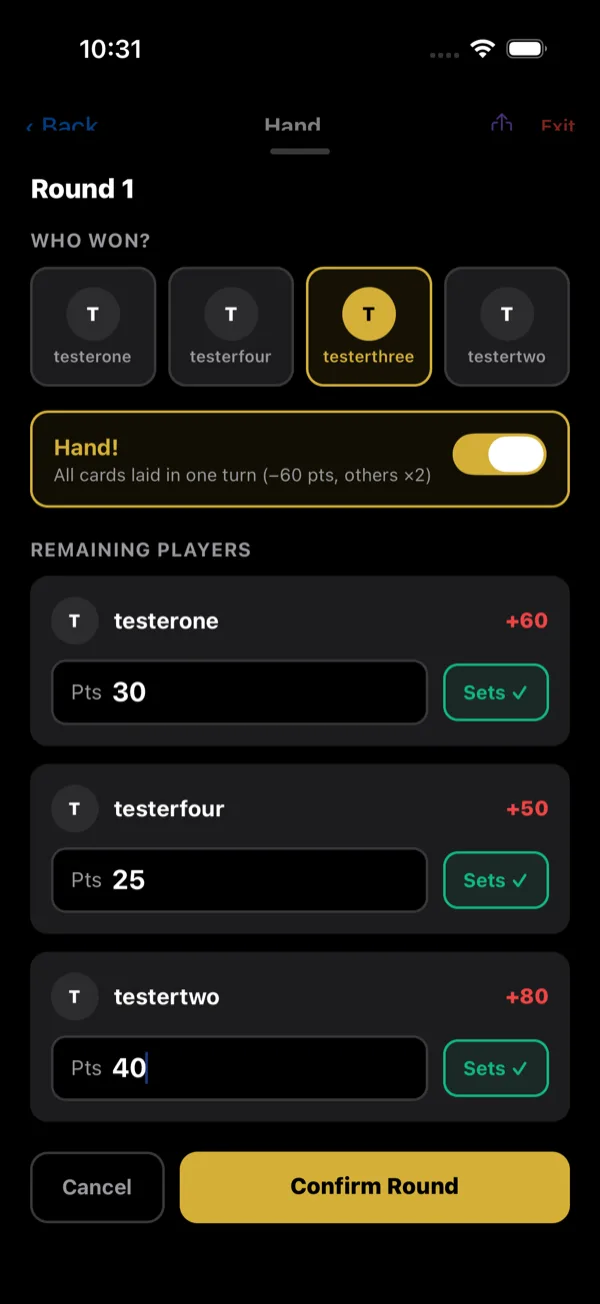
Tap Enter Round, then mark who went out first and type in what each remaining player was caught holding. If someone laid every card in a single turn, flag the Hand declaration — it takes 60 off their score and doubles what everyone else is carrying.
- 7Follow the running score
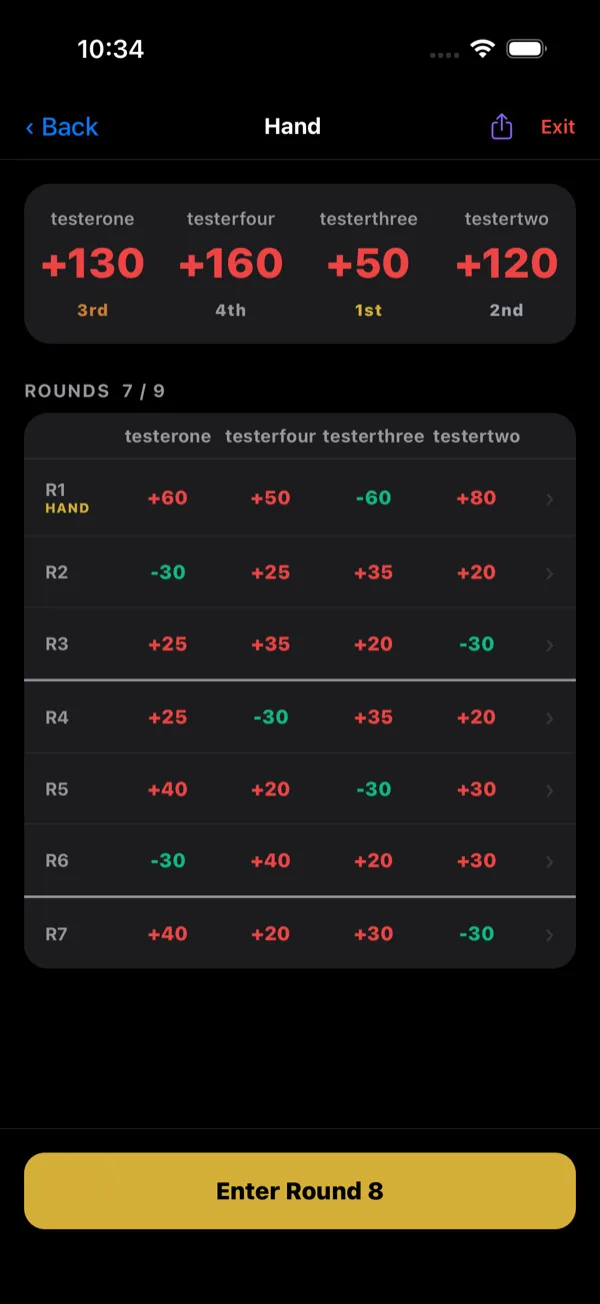
The scoreboard shows each player's total and where they currently stand. In Hand the lowest total leads, so the standing reads the opposite way round to Trix.
- 8Finish the match
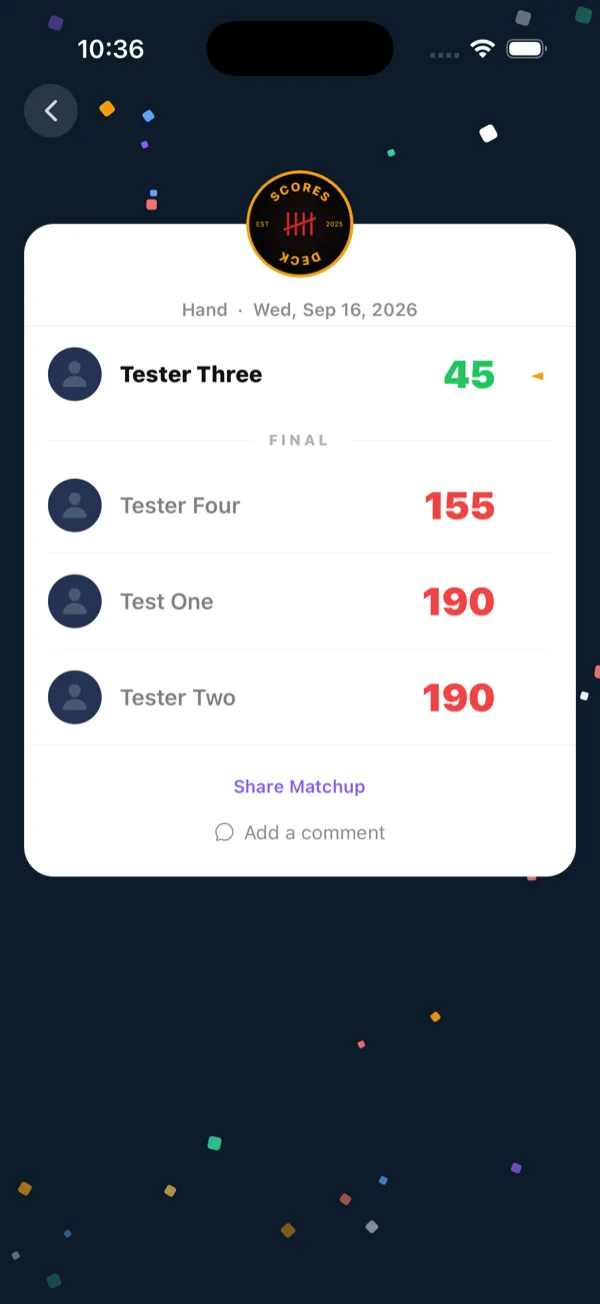
After the last round the lowest total wins. ScoresDeck closes the match, records the result for everyone at the table, and pushes it to your followers' feeds.
- 9Leaving a match early
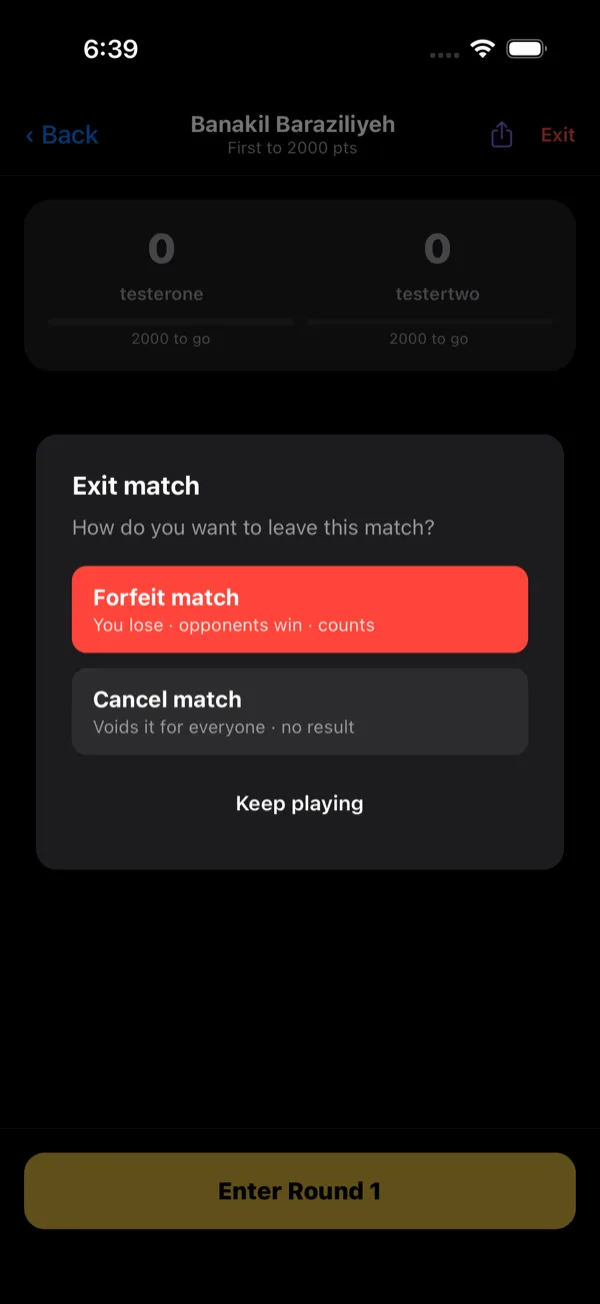
Exit offers two very different things. Forfeit records the match - you lose, the opponents win, and it counts toward everyone's stats. Cancel voids it for everyone with no result recorded for any player. Neither can be undone.
What ScoresDeck works out for you
The declaration is the big one. Flag “Hand!” — all cards laid in one turn — and ScoresDeck scores that player −60 instead of −30 and doubles what every other player is carrying, the 100-point no-sets penalty included. The round history marks the declared round, and the doubled figures are the ones written to the board.
The no-sets penalty is applied for you. A player who never laid down takes their hand plus 100, and if the round was declared, the whole thing doubles. It is the single most expensive thing that can happen to anyone in a match and the easiest one to forget on paper.
Standings are read the right way round. The board sorts by lowest total and shows each player’s current position, so nobody has to keep reminding the table that the small number is the good one.
Last-loses bookkeeping is handled end to end. The app decides the single loser, breaks a tie for last place by who won more rounds, and records everyone in between as neutral — counted as a game played, excluded from win rate.
After the ninth round the lowest total takes the match, the result is written to every player’s stats, and it reaches their followers’ feeds.
Worth knowing
- Hand with two players is just the standard game — the "only last place loses" toggle is hidden, because with two seats it would have nothing to describe.
- A declared Hand is worth flagging accurately: it is the single biggest score swing in the game.
- Lowest wins, so the leader sits at the TOP of the standings with the smallest number.
Frequently asked questions
Yes. Hand takes two to four players in the solo game. With two seats the match is simply the standard game, and the “only last place loses” toggle is hidden because it would have nothing to describe.
In the round sheet, mark who went out and turn on the Hand declaration — “all cards laid in one turn”. ScoresDeck scores them −60 and doubles every other player’s points for that round automatically, including the 100-point penalty for anyone who never laid down.
It appears in last-loses mode, and when someone else forfeits a solo match. A neutral player counts as having played the match but is excluded from the win-rate calculation, so they are neither credited a win nor charged a loss.
No. It is chosen when the lobby is created, with three or four players, and it applies for the whole match.
Lowest. The scoreboard sorts accordingly, so the leader is at the top of the standings with the smallest total.
Yes. A confirmed round can be reopened and re-entered, and ScoresDeck recomputes every total from it — including the doubling if you added or removed a Hand declaration.
Stop keeping score on paper
ScoresDeck handles every point of Hand for you — running totals, the live leader, and the winner the moment the match ends.
Get ScoresDeck