Keeping score of Tarneeb
Bid, name the suit, count the tricks. ScoresDeck checks the bid against what the team actually took and scores it for you.
Tarneeb is scored on a bid, and the bid is where the arguments live. The number called is not the number of tricks owed — a bid of 1 commits you to seven of the thirteen. A made contract scores what the team actually took rather than what it called, so overtricks matter. And a miss reverses it: the bidding team loses the tricks it bid and the defenders score what they took.
This guide walks through scoring a Tarneeb match in the ScoresDeck app, from the Tarneeb House to the moment a team reaches the target. It assumes you know the game — if you are still working out what a bid of 3 commits you to, or what a Kabbout pays, read the rules of Tarneeb first.
Tarneeb is always four players in two fixed partnerships, and in ScoresDeck those partnerships are decided by where you seat people: seats 1 and 3 against seats 2 and 4.
Before you start
Seat people the way they are actually sitting. Partnerships are fixed by seat position — 1 and 3 against 2 and 4 — so a seating mistake makes the scoreboard describe a different table than the one in front of you.
All four seats have to be filled, and everyone you seat has to be a mutual follower. Tarneeb has no partial table.
Pick the target before you start: 31, 41 or 61. It is the setting that decides how long you are playing for, and it cannot be changed once the match is running.
Decide whether the match is public or private at creation. Private hides it from public feeds and profiles but still counts toward every stat and leaderboard.
Step by step
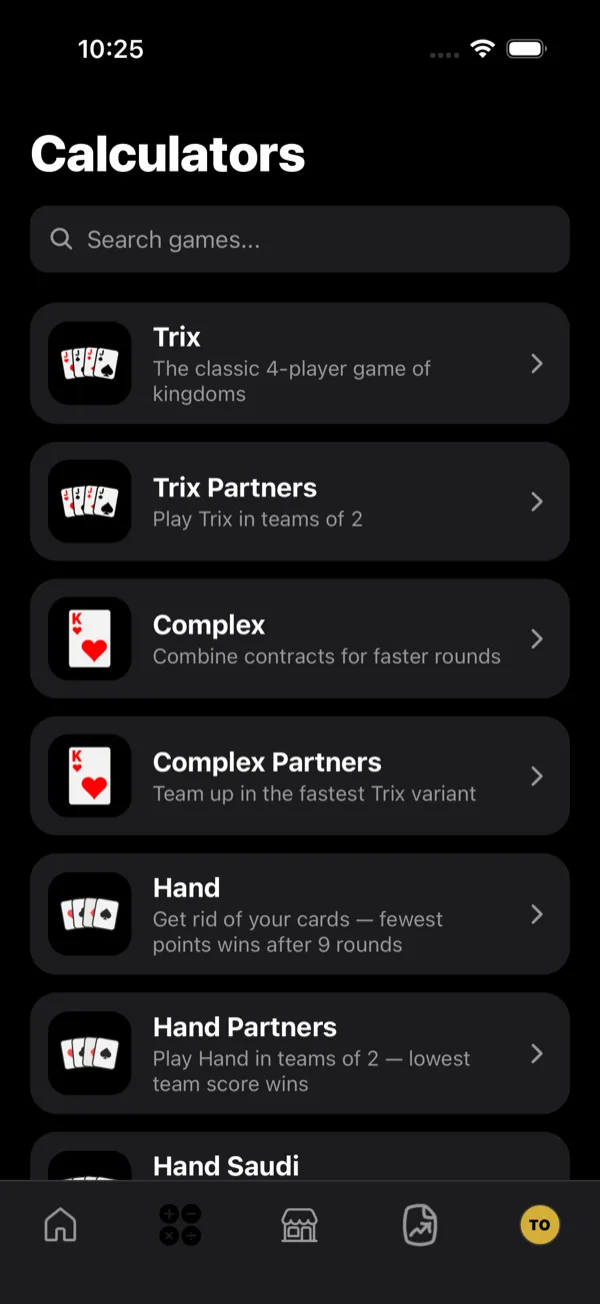
- 1Open the Tarneeb calculator
Pick Tarneeb from the Calculators tab. It is a partnership game and always exactly four players.
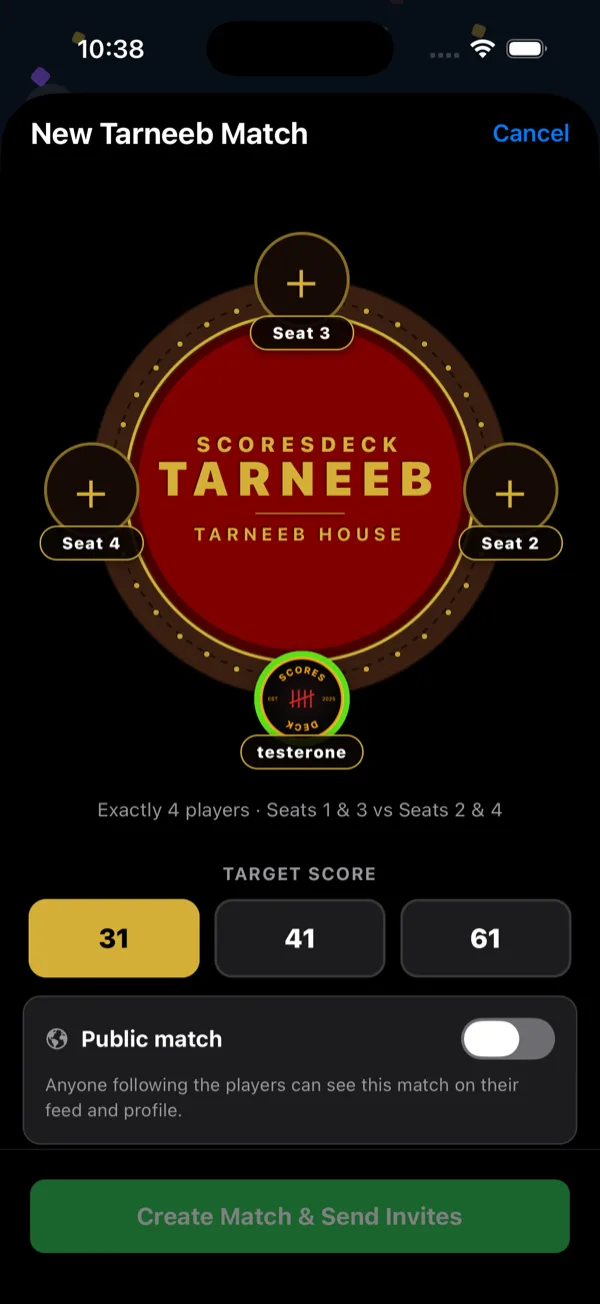
- 2Set the table and target
The Tarneeb House seats exactly four, partnered as seats 1 & 3 against seats 2 & 4. Choose the target score here — the match runs until a team reaches it, so this is the setting that decides how long you are playing for.
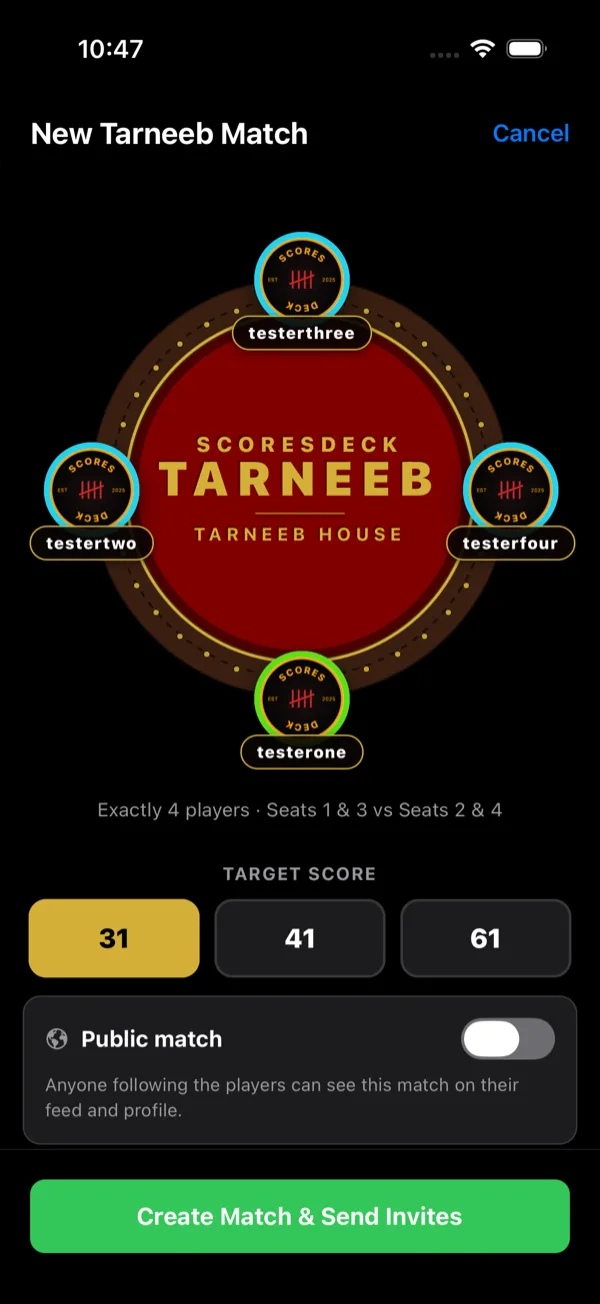
- 3Seat the players
Fill all four seats. Because partnerships are fixed by seat position, put people where they are actually sitting — seat 1 and seat 3 are a team.
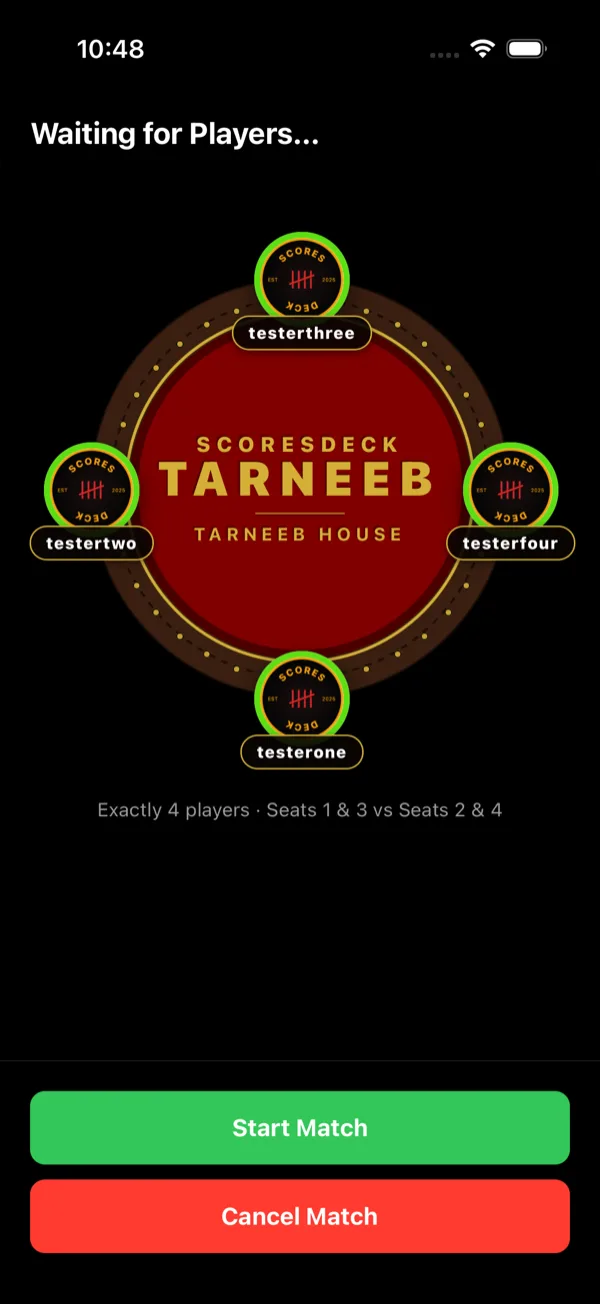
- 4Create the match
Creating the match invites everyone you seated. Seat rings show who has accepted, and you can start once the table is ready.
- 5Enter the bid and the tricks
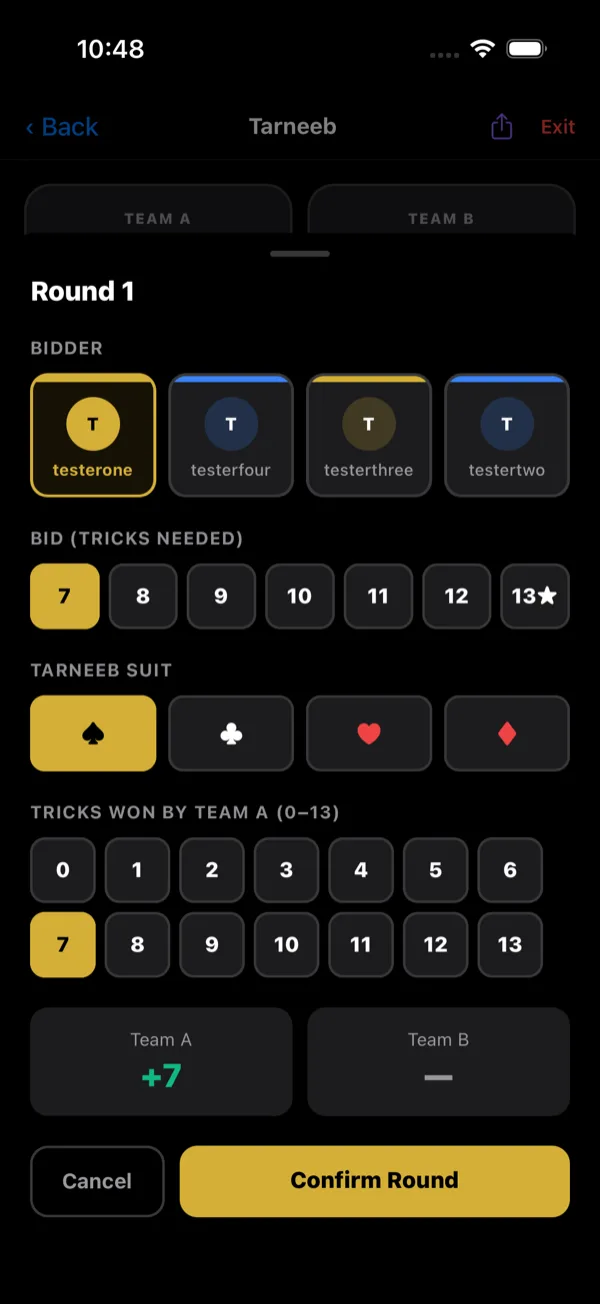
For each round record the bidder, the bid — how many tricks they committed to — and the Tarneeb suit. When the round is played out, enter how many tricks the bidding team actually took. ScoresDeck works out whether the bid was made or went down and scores both teams.
- 6Follow the running score
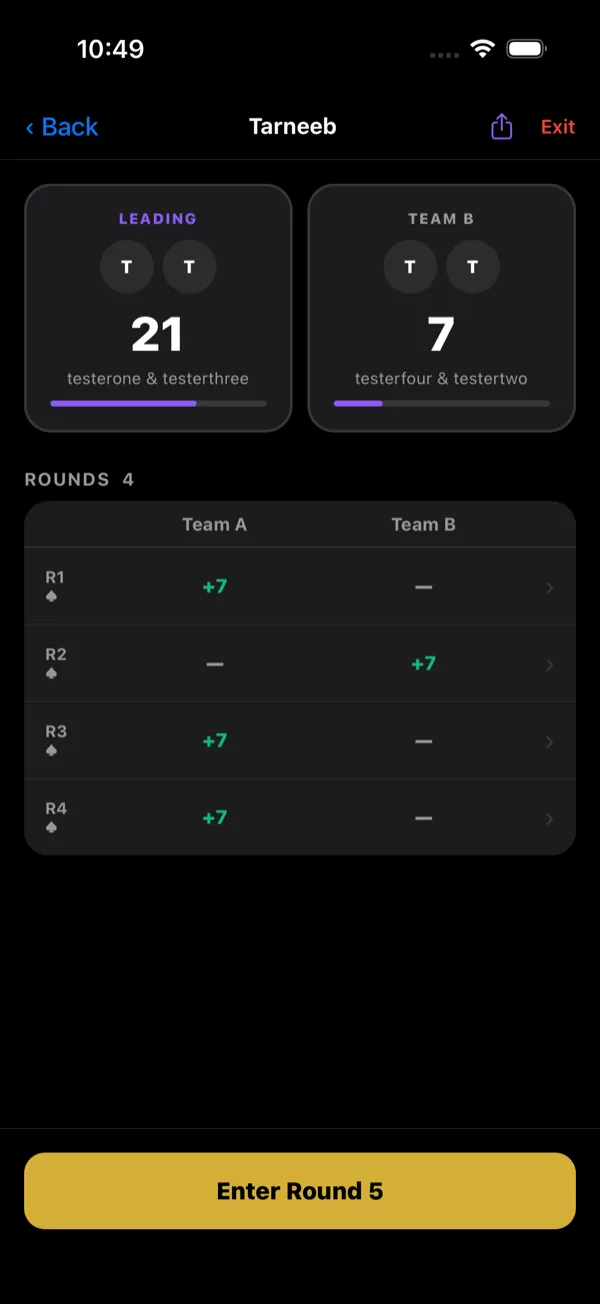
Both team totals update after every round, with the gap to the target in plain sight.
- 7Finish the match
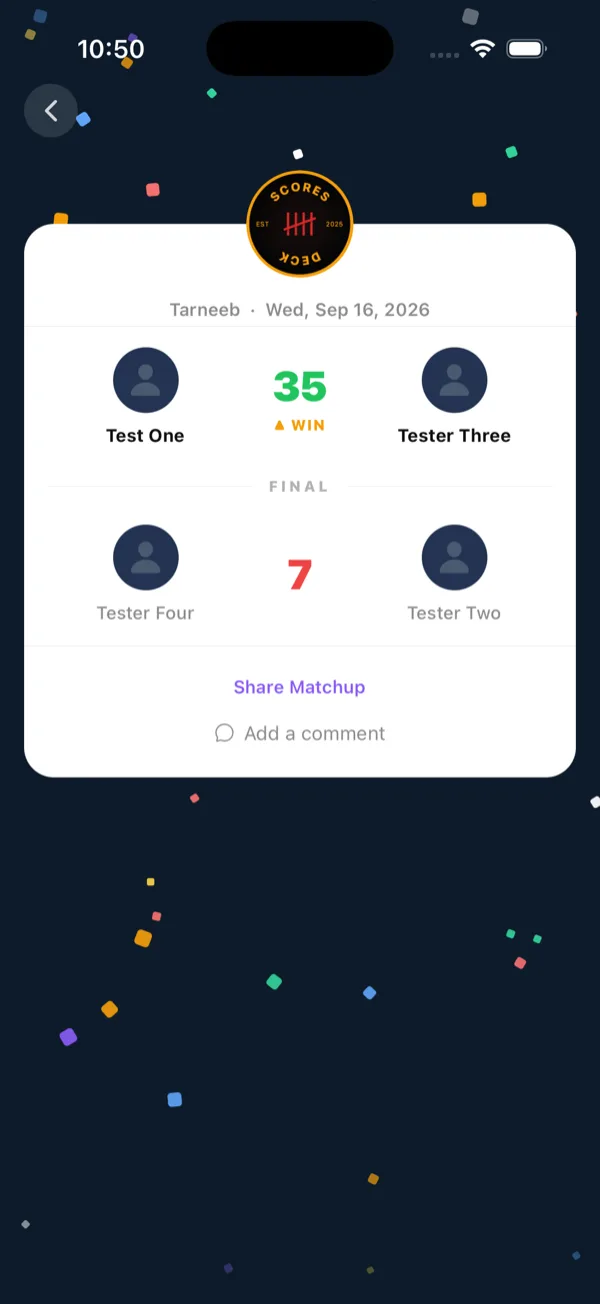
The first team to reach the target wins and the match closes. Both partners are credited, and the result reaches everyone's stats and feeds.
- 8Leaving a match early
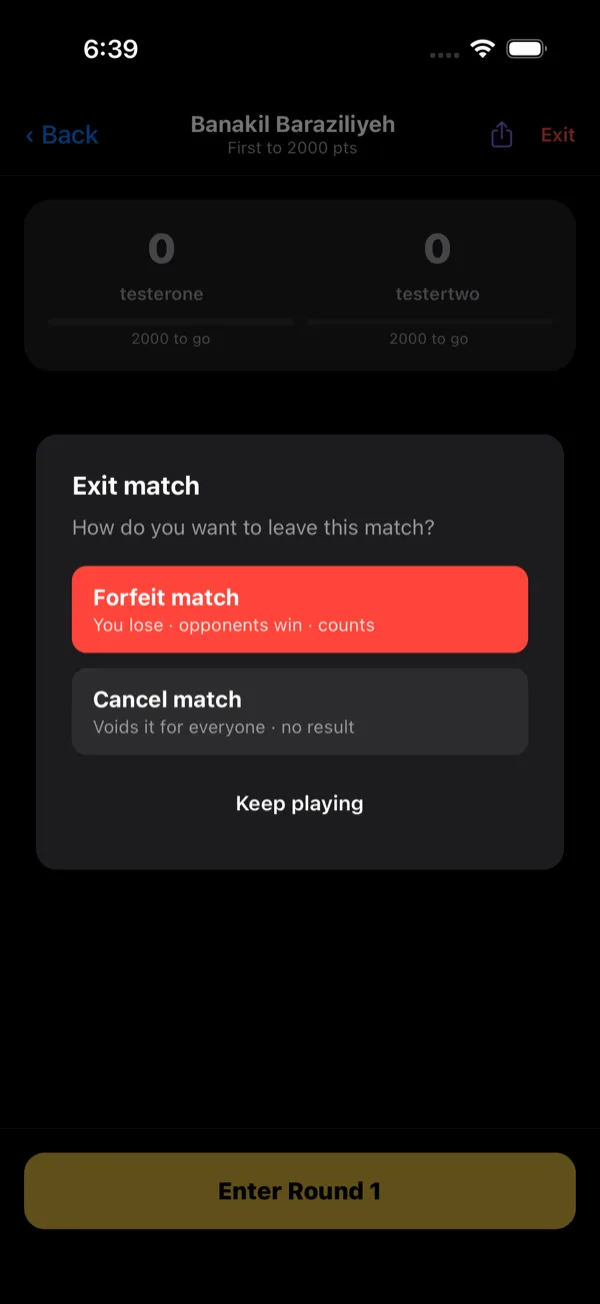
Exit offers two very different things. Forfeit records the match - your team loses, the opposing team wins, and it counts toward everyone's stats. Cancel voids it for everyone with no result recorded. Neither can be undone.
What ScoresDeck works out for you
The bid is asked for in tricks, not in calls. The row is labelled BID (TRICKS NEEDED) and runs 7 to 13, with 13 starred as the Kabbout — so if your table calls its bids as 1 through 7, tap six higher than the number that was said. What the app shows you is always the number of tricks the contract actually owes.
Made or down is decided by the app, not by the table. Enter how many tricks the bidding team actually took and ScoresDeck works out whether the contract came home, scores the tricks taken rather than the tricks bid, and when it did not, takes the bid off the bidding team and gives the defenders their tricks.
The special cases are built in: all thirteen tricks without having bid Kabbout is worth 16 — for the bidders, or for defenders who sweep — a made Kabbout is 26, and a missed one costs 16 while the defenders score the tricks they took.
The target is watched every round. Both team totals are live with the gap still to go in plain sight, and the match closes the moment a team reaches it.
Worth knowing
- Seats decide partnerships: 1 & 3 against 2 & 4. Seat people the way they are actually sitting and the scoreboard will match the table.
- Pick the target before you start — it is what determines the length of the match.
Frequently asked questions
Record the bidder, the bid and the Tarneeb suit at the start of the round. The bid row is labelled BID (TRICKS NEEDED) and is numbered 7 to 13 — the tricks owed, not the 1-to-7 call — so a called bid of 1 is tapped as 7 and a Kabbout is the starred 13. When the hand has been played out, enter how many tricks the bidding team actually took and the app scores both teams.
Yes. You enter the tricks taken and nothing else. ScoresDeck compares them to the contract, scores the tricks actually taken when the bid is made, and when it is missed takes the bid off the bidding team and gives the defenders their tricks.
They are fixed by seat: seats 1 and 3 are one team, seats 2 and 4 the other. Seat people where they are really sitting and the scoreboard will match the table.
No. The target — 31, 41 or 61 — is chosen when the match is created and runs for the whole match.
Yes. A scored round can be reopened and re-entered — the bidder, the bid, the suit or the tricks taken — and ScoresDeck rescores both teams and rechecks the target.
Stop keeping score on paper
ScoresDeck handles every point of Tarneeb for you — running totals, the live leader, and the winner the moment the match ends.
Get ScoresDeck